December 8th, 2025
New
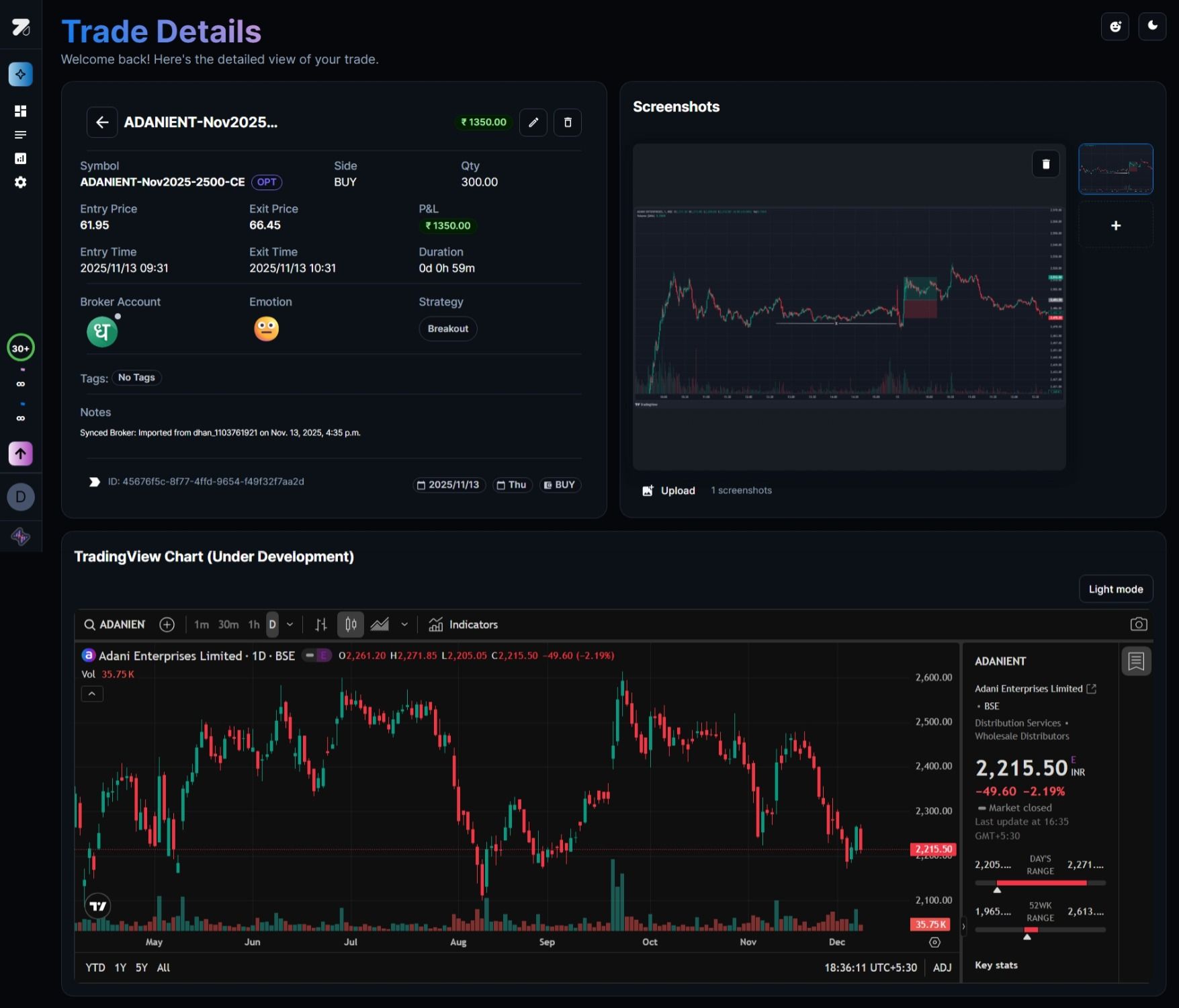
Trade details view with screenshot uploads
Now you can see every detail of your trades in one focused view. Upload screenshots of your setups, track all the metrics that matter, and build a visual journal of your trading journey.
What's included
Complete trade snapshot — Entry, exit, P&L, duration, and all your notes live together on one page
Screenshot uploads — Attach one or multiple images of your charts, DOM, or broker screens to document exactly what you saw
Embedded chart context — View price action alongside your notes and screenshots without jumping between tabs
Full customization — Add tags, emotion, strategy, and revisit every detail during your reviews
Why this matters for traders
Really effective trade reviews need more than just numbers. You need to see what the setup actually looked like, spot patterns in your winners and losers, and build real playbooks based on evidence. That's why serious traders journal their charts.
How to use it
Open any trade from your journal by clicking 👁 button in the actions column and step into the new Trade Details view. Upload your chart screenshots on the right panel, add your notes and tags, and you've got a complete case study you can revisit anytime.